
Linking images and files in hash
How to link files and images from #JS template code.
Always go through docly.linkImage / docly.linkFile — including for a file that lives on another document, which both functions cover by taking the file object as their first argument. Do not assemble the URL yourself; see Do not build file and image URLs by hand.
Which form to use depends on the context. In a display template rendering a .docly document there is a current document, so a field name on its own is enough: linkImage(Image1, ...). In a .hash page, a master page or an API script there is no current document — pass the file object you got from getFile/getFiles/getFolders as the first argument: linkImage(f, f.Image1, ...). The id-only form fails there with a message saying so.
Link from current document
Image in document:
If image is stored in a field called Image1:

<img src="#docly.linkImage(Image1,1024,768,2)#" alt="An image" />
File:
If the file is stored in a field called File1:

<a href="#docly.linkFile(File1)#">Download file</a>
When looping:
#for (let item of Items) {#
<div>
    Just address the field name for each item:
    <img src="#docly.linkImage(item.Image,1024,768,2)#" alt="An image" />

    Same for file:
    <a href="#docly.linkFile(item.File1)#">Download file</a>
</div>
#}#
Link image from another document
<div>
    <!-- Get data from other page (file or document type) -->
    #let p = docly.getFile("image.jpg")#

    <!-- Pass the file object first: linkImage prepends p.Url for you -->
    <img src="#docly.linkImage(p, p.File, 1024, 768, 1, 'virtual-name.jpg')#" alt="An image" />
</div>
Link images from folders
This code will link images from folders that contain images such as the "Image" field from "Published folder".
#let folders = docly.getFolders("/")#
#for (let item of folders) {#
<div>
    <h3>Folder: #item.Name#</h3>

     <!-- Folder rows are file objects too: pass the row, then the image field -->
    <img src="#docly.linkImage(item, item.Image, 100, 100, 2, item.Name + '.jpg')#" alt="#docly.htmlAttributeEncode(item.Name)#" />
</div>
#}#
Link background image from another document
Note that the ~ is inserted in front of the URL:
#let p = docly.getFile("image.jpg")#

<div style="background-image: url('~#docly.linkImage(p, p.File, 1024, 768, 1, 'virtual-name.jpg')#'); width:1024px;height:768px">
</div>
Virtual name
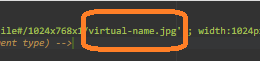
The virtual name can be anything you desire. Use this to give the file a SEO friendly name — pass it as the last argument to linkImage/linkFile and the function URL-encodes it for you (a scaled linkImage also turns spaces into hyphens).
For images the extension on that name also selects the output format: .webp, .avif, .png and .jpg convert to that format, while .gif and .svg are served unconverted.
The format and size also depend on the site's image size policy (images.sizePolicy in #/site.json). Under the default open policy, a .webp or .avif name is served as JPEG/PNG; set the policy to auto or strict to get those formats. Under strict, a size that is not in allowedSizes returns HTTP 400. See Restrict and register image sizes.
Scaling parameters
Images will be rescaled according to parameter 2, 3 and 4.
Parameters |
|---|
Image field (required) |
Width in pixels (optional) |
Height in pixels (optional) |
Scale mode (optional) |
Scale modes are:
Mode | Description |
|---|---|
0 | Scale to fit |
1 | Scale to fill |
2 | No ratio rescale |
3 | Scale with white margin |
4 | Scale with black margin |
5 | No scaling |
Read more about the different scale modes here:
https://developers.docly.net/JavaScript/Filesystem-functions/Image-scaling